
VELORA / REPAIR TRACKING
Keep the customer, repair status, and parts used together.
Velora’s Repair Tracking module records the item you receive, the work it needs, who is handling it, and its progress toward return shipment. Repair Parts inventory records the materials used on the job.
Available modules and integrations are agreed for each deployment. Screens show the actual template with example records.
See this workflow in a demo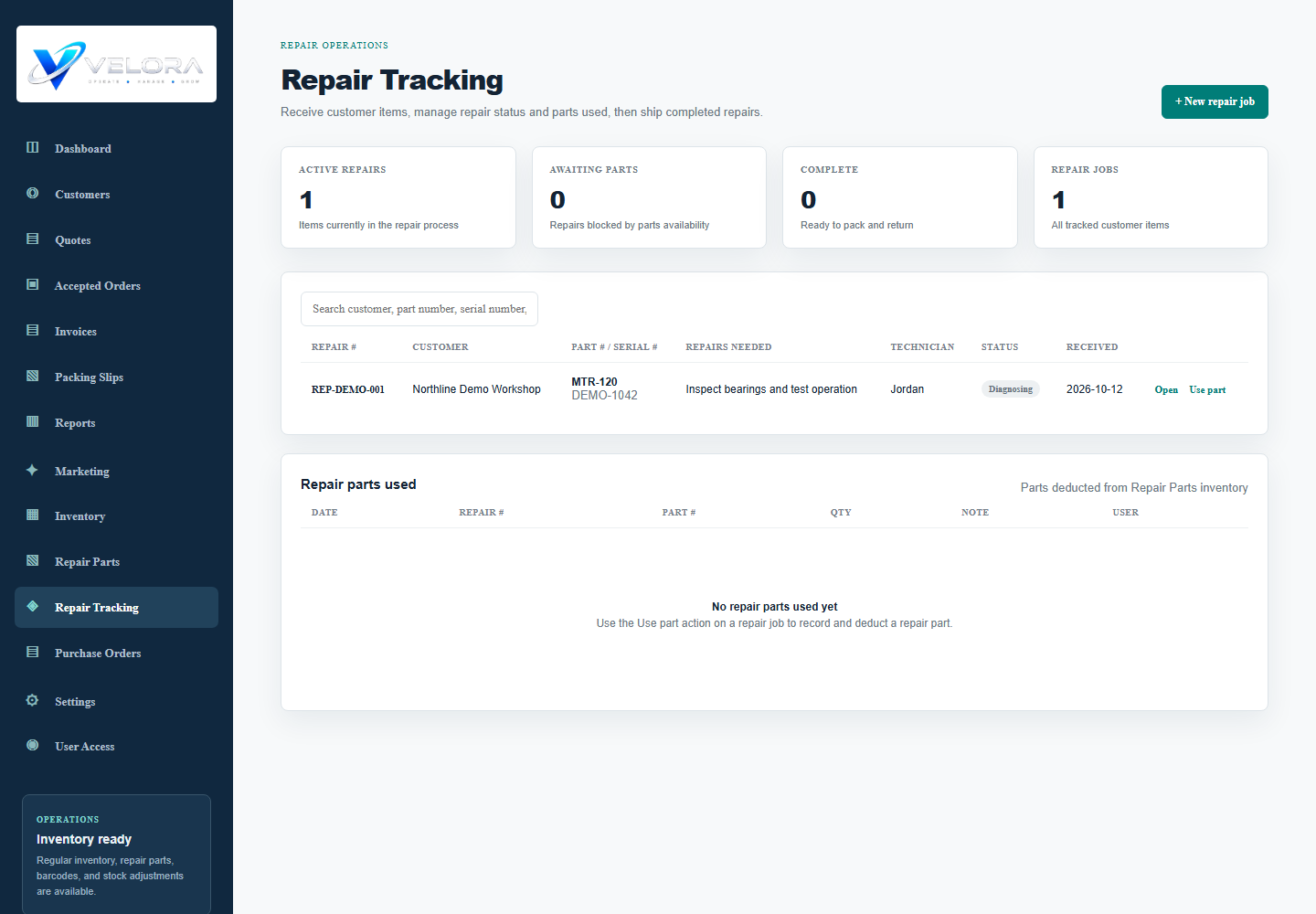
HOW THE WORK MOVES
Repair tracking in practice
Receive the item
Choose the customer and record the part number, serial number, condition received, and repairs needed. Set a technician and target date.
Track progress
Update the job through Received, Diagnosing, In Repair, Awaiting Parts, Complete, and Shipped. Add job notes as work progresses.
Record parts used
Select repair stock and the quantity consumed. Velora records usage against the job and deducts it from Repair Parts inventory.
Prepare the return and follow up
The repair packing-slip workflow requires an accepted repair quote and its customer PO number. Your team handles customer updates and can record contact notes or a follow-up reminder.
BEFORE YOU CHOOSE
Your questions, answered.
Are repair modules included in every setup?
Repair Tracking and Repair Parts are configurable add-ons in the template. We agree which modules your business needs before rollout.
Does changing a status email the customer?
Automatic repair-status emails are not part of the verified workflow described here. Your team sends the update; a different notification process can be scoped as custom development.
Can we track the parts used on a specific repair?
Yes. Each job can record parts taken from Repair Parts inventory, including quantity and a usage note.
Bring your process to the demo.
Tell us how your team works today. We will walk through the relevant modules, confirm the fit, and identify any configuration or custom development before proposing a rollout.
Request a Velora demo