VELORA / MARKETING TOOLS
Give every customer follow-up a clear next step.
Velora’s marketing module brings sent-quote follow-ups, sales opportunities, campaign plans, reusable message templates, and reminders into the same workspace as your customer records.
Marketing tools available for preview. We’ll confirm the right setup and validate your workflow before rollout. Available modules and integrations are agreed for each deployment. Screens show the actual template with example records.
See this workflow in a demo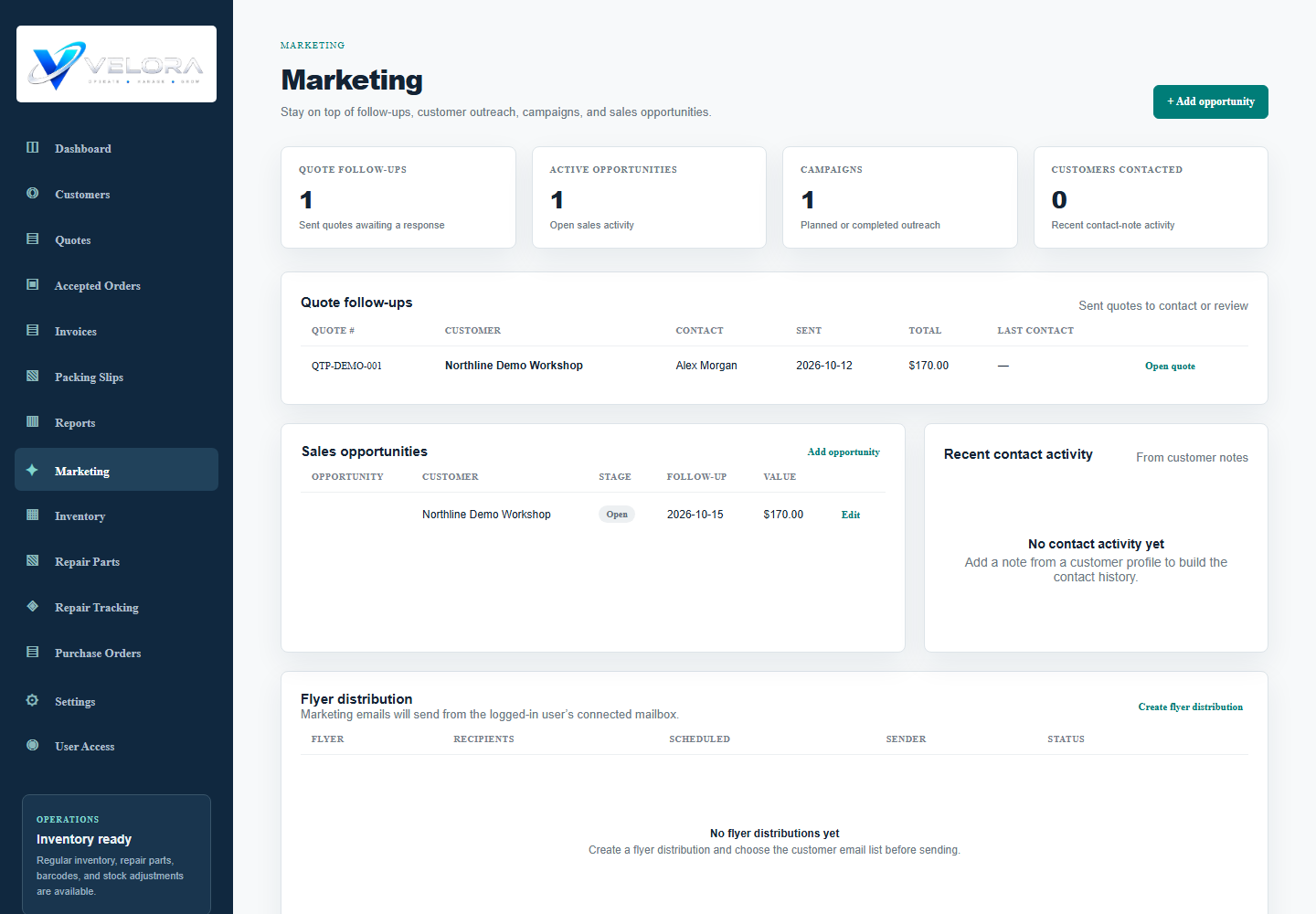
HOW THE WORK MOVES
Marketing tools in practice
Review the follow-up list
Find sent quotes awaiting a response alongside active opportunities. Use the customer context to decide whom to contact next.
Plan the outreach
Record a campaign name, intended audience, target date, status, and notes. Flyer distribution records can store selected customer recipients and a file name.
Prepare and follow through
Save reusable message subjects and text. Create reminders for calls and emails; your team carries out the outreach through its agreed delivery process.
Record the result
Update opportunities, campaign status, and customer contact notes. Campaign sent, open, click, reply, and conversion counts are manually entered fields.
BEFORE YOU CHOOSE
Your questions, answered.
Is this an automated email marketing platform?
The verified module organizes outreach. A campaign date, flyer record, or reminder does not automatically send email. Bulk sending, drip sequences, and automated event triggers require separate implementation and validation.
Are contact lists and templates available?
Customer records hold contact details. Flyer distribution records support customer recipient selection, and message templates save a subject and body. A separate advanced segmentation or mailing-list service is not being claimed.
Does Velora automatically track email opens and clicks?
The campaign screen provides result fields your team can fill in. Automatic tracking pixels, click tracking, and provider reporting have not been verified.
How does it connect with quote email?
The follow-up view identifies sent quotes, while the separately configured Microsoft 365 quote sender sends individual quote PDFs. Your team can record the next action as a reminder.
Bring your process to the demo.
Tell us how your team works today. We will walk through the relevant modules, confirm the fit, and identify any configuration or custom development before proposing a rollout.
Request a Velora demo