VELORA / EMAIL INTEGRATION
Send a quote PDF from the customer’s record.
Velora’s quote-email workflow uses Microsoft Graph with a configured Microsoft 365 sender. Review the recipient, subject, and message in Velora, then send the quote with its PDF attached.
Available modules and integrations are agreed for each deployment. Screens show the actual template with example records.
See this workflow in a demo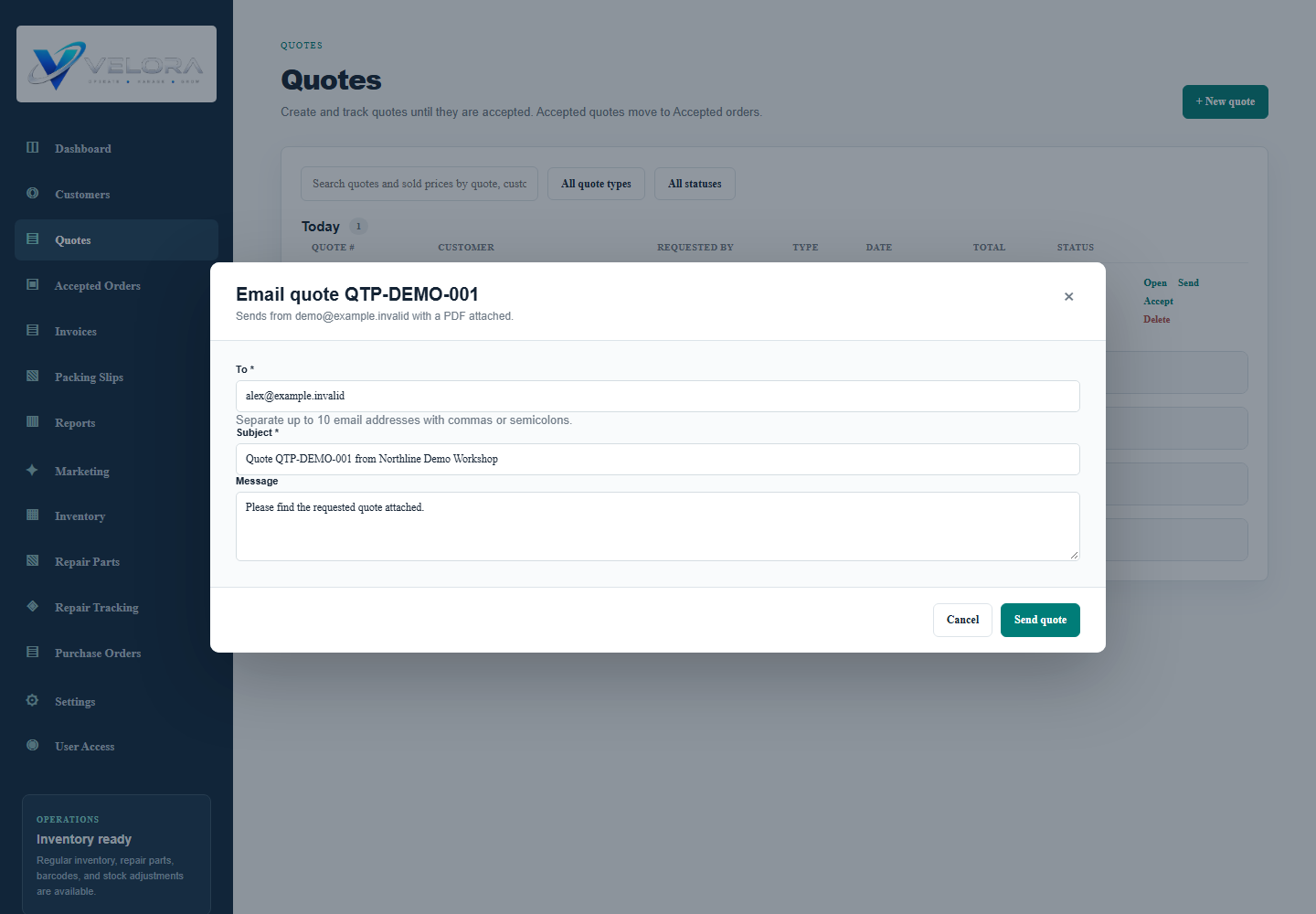
HOW THE WORK MOVES
Email integration in practice
Choose the quote
Open the customer’s saved quote and its document preview. The email dialog suggests an address from the customer’s contacts.
Review the message
Confirm the recipient, subject, and message before sending. The quote is attached as a PDF by the server.
Send through the configured mailbox
Microsoft Graph sends from the configured sender and requests a copy in Sent Items. Successful sending is recorded in Velora’s audit history.
Continue the conversation
Handle replies in your mailbox. Add relevant customer notes or marketing reminders in Velora so your team has a next step.
BEFORE YOU CHOOSE
Your questions, answered.
Which providers are supported?
The verified built-in server integration is Microsoft 365 through Microsoft Graph. It requires a configured Microsoft tenant, application credentials, and sender permissions. Provider setup and live delivery must be tested for your deployment.
Does Velora sync my inbox or log every conversation?
This integration sends quote email. It does not establish two-way inbox synchronization or automatic logging of every reply. Customer notes are maintained by your team.
Can I use Gmail, Google Workspace, or Purelymail?
A native integration for these providers has not been verified in this template. Tell us which provider you use so we can assess a manual document workflow or separately scoped integration.
Does this send marketing campaigns?
The quote sender is distinct from the marketing planning module. Campaign automation and bulk delivery are not included in the verified functionality on this page.
Bring your process to the demo.
Tell us how your team works today. We will walk through the relevant modules, confirm the fit, and identify any configuration or custom development before proposing a rollout.
Request a Velora demo