
VELORA / INVENTORY MANAGEMENT
Connect customer orders to the stock on your shelf.
Velora connects customer records, parts quotes, accepted orders, and inventory. Your team can check available quantities while quoting and record stock movement as orders ship.
Available modules and integrations are agreed for each deployment. Screens show the actual template with example records.
See this workflow in a demo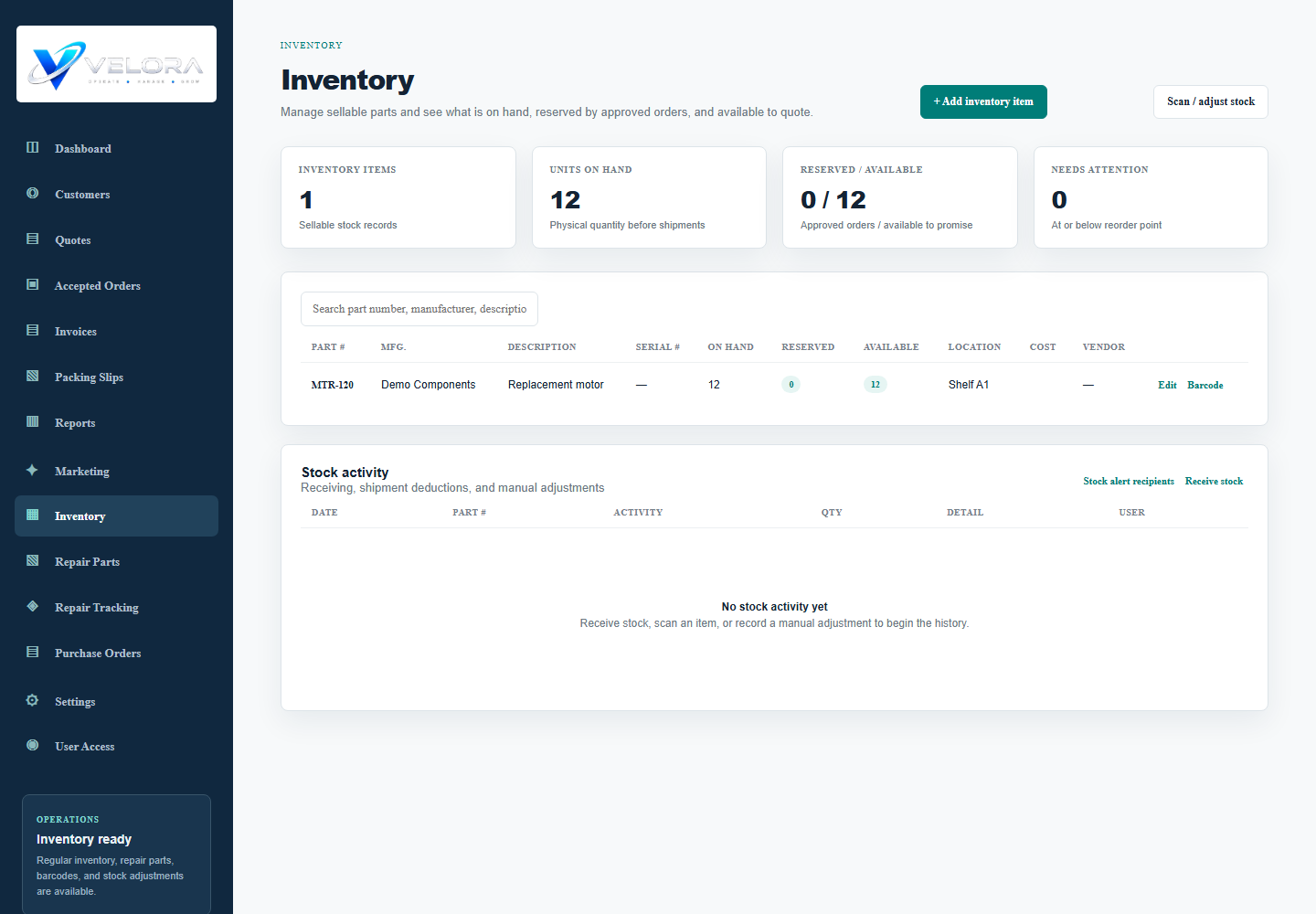
HOW THE WORK MOVES
Inventory management in practice
Record the request
Start with a customer record and prepare a parts quote. Link quote lines to sales inventory items so the requested part and quantity stay connected.
Approve the order
Choose the quote items the customer accepts. Linked inventory quantities are checked against availability, and open order commitments are reflected in available stock.
Prepare and ship
Create the packing slip from the order. Marking the shipment as shipped deducts linked sales inventory and adds a stock activity record.
Receive and review
Record received quantity, vendor, and purchase cost. Review stock activity and make documented adjustments when a count changes.
BEFORE YOU CHOOSE
Your questions, answered.
Does every quote line affect inventory?
No. Stock tracking relies on the line being linked to an inventory item. Free-text lines do not create that link automatically.
Is repair stock separate?
Yes. The template separates Sales inventory and Repair Parts. Parts consumed by repair jobs use the repair stock workflow.
Can it replace our warehouse system?
We will review your receiving, stock, and shipping requirements in a demo. Multi-location warehouse rules, carrier integrations, and additional automation need a separate feasibility and scope review.
Bring your process to the demo.
Tell us how your team works today. We will walk through the relevant modules, confirm the fit, and identify any configuration or custom development before proposing a rollout.
Request a Velora demo